
Phantom Blade Zero Benchmarks & PC Performance Analysis results are finally here, and they are exactly what every hardcore PC gamer has been waiting for. In 2026, S-Game lifted the review embargo, allowing us to dive deep into how this highly anticipated action RPG utilizes Unreal Engine 5.7.4. Equipped with the latest hardware, we set out to see if modern gaming rigs can handle this visually stunning title.
 Phantom Blade Zero Benchmarks
S-Game has provided an extensive suite of graphics settings, allowing PC gamers to adjust everything from materials to shadows and reflections. However, the true star of the show is the inclusion of full Path Tracing and Ray Tracing support. Let us dive into the numbers to see exactly what hardware you need to run this masterpiece smoothly.
Visual Impact: Phantom Blade Zero Benchmarks & PC Performance Analysis
The visual fidelity of this title is absolutely staggering. With Path Tracing enabled, lighting behaves with photorealistic accuracy, completely transforming the atmosphere of the game. It fixes many of the traditional visual flaws found in rasterized rendering, making it a true graphical showcase on PC. However, this beauty comes at a steep performance cost.
With Path Tracing turned on, Phantom Blade Zero transforms into one of the absolute best-looking games on PC today, pushing modern GPUs to their breaking point.
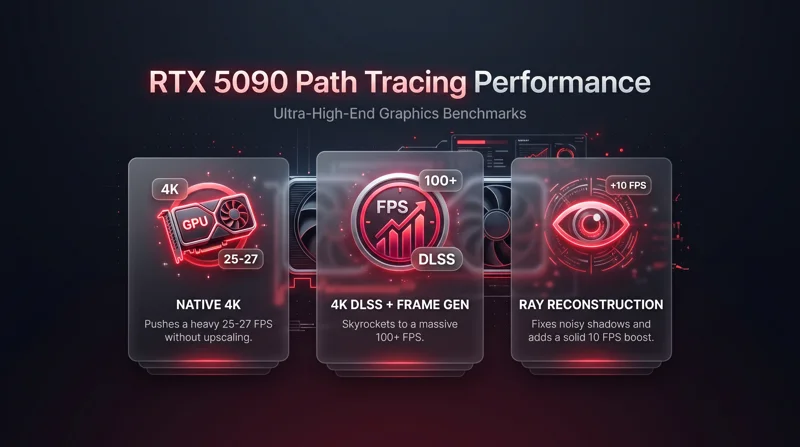
During our extensive Phantom Blade Zero Benchmarks & PC Performance Analysis, native 4K rendering with Path Tracing proved too heavy even for flagship GPUs. At Native 4K with TSR, the almighty NVIDIA RTX 5090 could only push 25 to 27 FPS. Unsurprisingly, upscaling technologies are highly recommended to achieve a playable frame rate without sacrificing image quality.
| Resolution (Native TSR) | Path Tracing Status | RTX 5090 Average FPS |
|---|---|---|
| 4K (3840 x 2160) | Enabled | 25 – 27 FPS |
| 1440p (2560 x 1440) | Enabled | 46 – 47 FPS |
| 1080p (1920 x 1080) | Enabled | 60+ FPS |
NVIDIA RTX 5090 Benchmarks and Upscaling Magic
To achieve a buttery smooth 60+ FPS at 4K with Path Tracing, you must rely on DLSS Super Resolution and Frame Generation. At 4K with DLSS Quality, our RTX 5090 delivered a stable 54-60 FPS baseline. By enabling Frame Generation (MFG X2), we skyrocketed to 100 FPS with virtually no noticeable input latency, providing the ultimate combat experience.
It is also worth noting that Ray Reconstruction is enabled by default when using DLSS with Path Tracing. This feature is a game-changer, eliminating the noisy and pixelated shadows often seen with native TSR. It also provides a neat 10 FPS performance boost over native rendering.
Optimization in Phantom Blade Zero Benchmarks & PC Performance Analysis
One of the most common complaints regarding modern Unreal Engine 5 releases is traversal and shader compilation stutter. Thankfully, S-Game has delivered a masterclass in PC optimization. Upon first launch, the game initiates a lengthy shader pre-compilation phase, which completely eliminates jarring hitches during gameplay.
When conducting our Phantom Blade Zero Benchmarks & PC Performance Analysis, we were incredibly impressed by how smoothly the game ran across different hardware configurations, provided you adjust settings accordingly. The developers have ensured that the PC port is incredibly polished right out of the gate.
S-Game delivers a remarkably stutter-free Unreal Engine 5 experience, making this PC release a shining example of excellent optimization.
| Graphics Setting Level | Visual Quality Difference | Performance Impact |
|---|---|---|
| Ultra to Very High | Barely noticeable | Minimal frame rate boost |
| High to Medium | Slight reduction in shadow detail | Additional 10 FPS boost |
Mastering Path Tracing Graphics Settings
We did notice some visual artifacts when using DLSS 4.5 Frame Generation during rapid camera movements. However, there is a very simple fix: completely disable the in-game Motion Blur setting. This immediately resolves the smearing issues, allowing for flawless frame generation.
If your GPU cannot handle full Path Tracing, the standard Ray Tracing option sits perfectly between rasterization and path-traced visuals. You can also read more about how Unreal Engine 5 handles these advanced lighting models directly on the official Unreal Engine website.
FAQs: Phantom Blade Zero Benchmarks & PC Performance Analysis
 Phantom Blade Zero Benchmarks
Can the RTX 5090 run Phantom Blade Zero at native 4K with Path Tracing?
No, at native 4K with TSR and Path Tracing, the RTX 5090 averages around 25-27 FPS. You will need DLSS to achieve 60 FPS.
Does Phantom Blade Zero suffer from shader compilation stutter?
No, the game features a lengthy shader pre-compilation phase on first launch, resulting in a very smooth, stutter-free gameplay experience.
How can I fix visual artifacts when using DLSS Frame Generation?
You should completely disable the in-game Motion Blur setting to eliminate the noticeable visual artifacts during fast camera movements.
Can I toggle Ray Tracing on and off during gameplay?
Unfortunately, you cannot enable or disable Ray Tracing or Path Tracing on the fly; you must return to the main menu to change these specific settings.
What does Ray Reconstruction do in this game?
DLSS Ray Reconstruction replaces traditional denoisers, fixing noisy and pixelated shadows while also providing a notable performance boost.
Is the game playable without Path Tracing?
Absolutely. Even without Ray Tracing or Path Tracing, the game has an incredible art style and looks stunning on Ultra settings.
Do I need a high-end GPU for 1080p gaming?
Not necessarily. At Native 1080p on Ultra Settings without Path Tracing, most modern mid-to-high-end GPUs can easily maintain over 60 FPS.
Disclaimer: This article is for informational purposes only. Hardware performance may vary based on your specific system configuration, background applications, and future driver or game patch updates.